
CS2 Patterns and Rare Patterns Explained
Updated
Two Counter-Strike 2 skins can be the exact same weapon, finish, and wear tier yet look completely different the moment you inspect them. On pattern-based finishes, that difference comes from the pattern seed, a number assigned when the skin is created that shifts and rotates the texture sheet across the weapon model. On many skins you will barely notice it, while on finishes like Case Hardened, Fade, or Crimson Web, the seed decides whether you see a plain mix of colors or one of the most sought-after layouts in the game.
What a Pattern Seed Changes
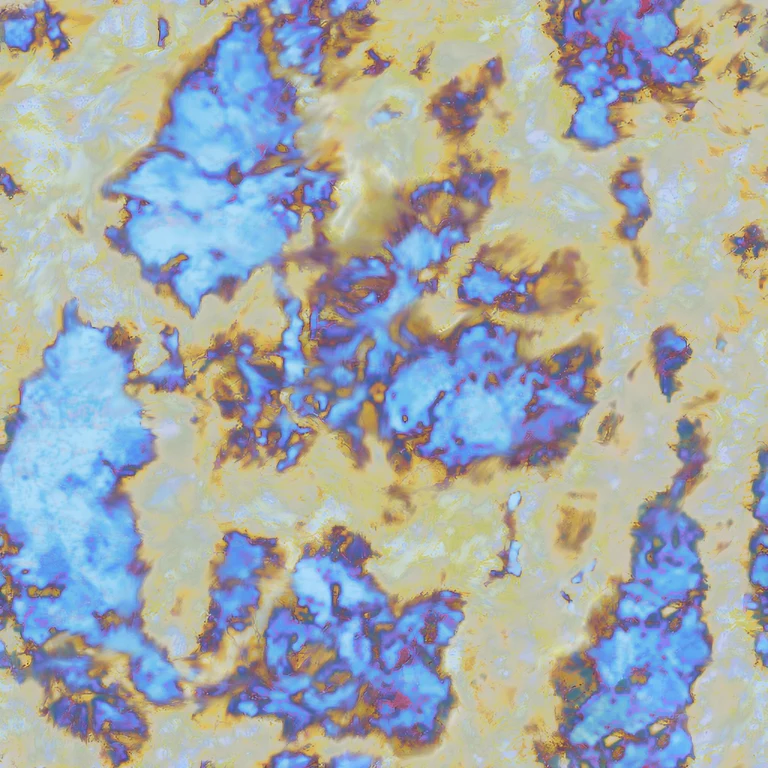
When a paint kit allows texture randomization, the pattern seed picks a starting position and angle on the finish's texture sheet and wraps that section onto the gun. That is how one rifle ends up with a clean blue top while another copy of the same finish shows mostly gold and purple.
Because every weapon has its own shape and texture layout, the same seed number does not produce the same look across different models. A standout seed on an AK-47 can look completely ordinary on a knife or a pistol. Plenty of finishes also use fixed artwork that stays locked in place across every copy, where the seed leaves the main graphic untouched and can only affect how wear marks land on the surface. Once a skin is generated, its pattern seed stays fixed permanently through matches, trades, and sticker applications, and it never changes weapon damage or gameplay stats.
Here is how the main CS2 pattern families compare at a glance.
| Pattern Family | Visible Difference | What to Check |
|---|---|---|
| Case Hardened | Balance of blue, gold, purple, and silver | Playside coverage, cleanliness, and weapon model |
| Fade | Gradient coverage, color balance, and grey unfaded areas | Color reach across the playside and weapon shape |
| Doppler / Gamma Doppler | Phase color identity plus swirl placement | Finish Catalog ID for phase, then playside color balance |
| Crimson Web | Number and placement of spider web centers | Clear web centers on the visible playside blade |
| Marble Fade | Mix of red, blue, and yellow bands | Red-and-blue playside without yellow on supported knives |
| Illustrated and Novelty Skins | Shifting motifs like animals, stars, or comic panels | Specific motif placement on visible surfaces |
Paint Kit, Pattern Seed, and Float Value
Three separate properties define how a skin looks in-game, and keeping them apart saves a lot of confusion when browsing listings. The paint kit is the finish identity itself, telling the game which skin or Doppler phase the item is. The pattern seed sets the texture layout on the model. The float value controls wear, deciding how clean or scratched the finish appears.
A finish's paint kit sets its allowed float range, while the pattern seed and wear still work separately enough that a desirable seed can land on a heavily worn gun and a clean Factory New float cannot fix an awkward layout. For more detail on how wear caps and material rules shape a finish, check our CS2 float and wear guide and CS2 finish styles guide.
It also helps to remember that names like Blue Gem, Gold Gem, and Fire & Ice are player-created labels for specific visual layouts rather than official rarity badges. The game places every seed of a finish in the same rarity tier, and collector demand separates them based on what lands on the visible surface.
Case Hardened: Blue Gems and Gold Gems
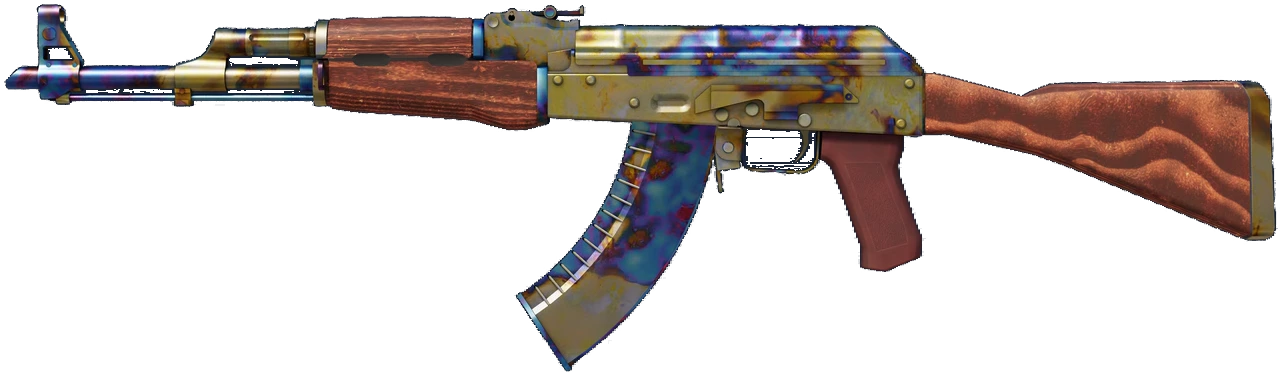
Case Hardened is the finish that made pattern hunting famous. Its texture sheet mixes metallic blue, gold, purple, and silver, so shifting that sheet across a rifle receiver or knife blade creates dramatically different results from copy to copy.
Blue Gems
Most Case Hardened skins display a patchy blend of colors, so seeds that pack solid blue onto the visible surface stand out right away. On the AK-47 | Case Hardened, seed 661 is the classic example of a heavily blue top, while seed 387 on the Karambit | Case Hardened is famous for its nearly solid blue playside. Those are iconic examples rather than a complete list of good patterns, and no universal ranking applies across every weapon. Blue Gem appeal comes down to how much clean blue sits on the visible playside, alongside the weapon model, wear condition, and buyer demand.
Gold Gems
Gold Gems sit at the opposite end of the same sheet, favoring clean gold coverage with minimal blue or silver interruption. Well-known examples include seeds 784 and 219 on the AK-47, seed 691 on the Five-SeveN, and seeds 395, 848, and 359 on the Bayonet. Just like with Blue Gems, what matters most is how clean and even the gold looks on the side you actually see while holding the skin.
Fade Patterns
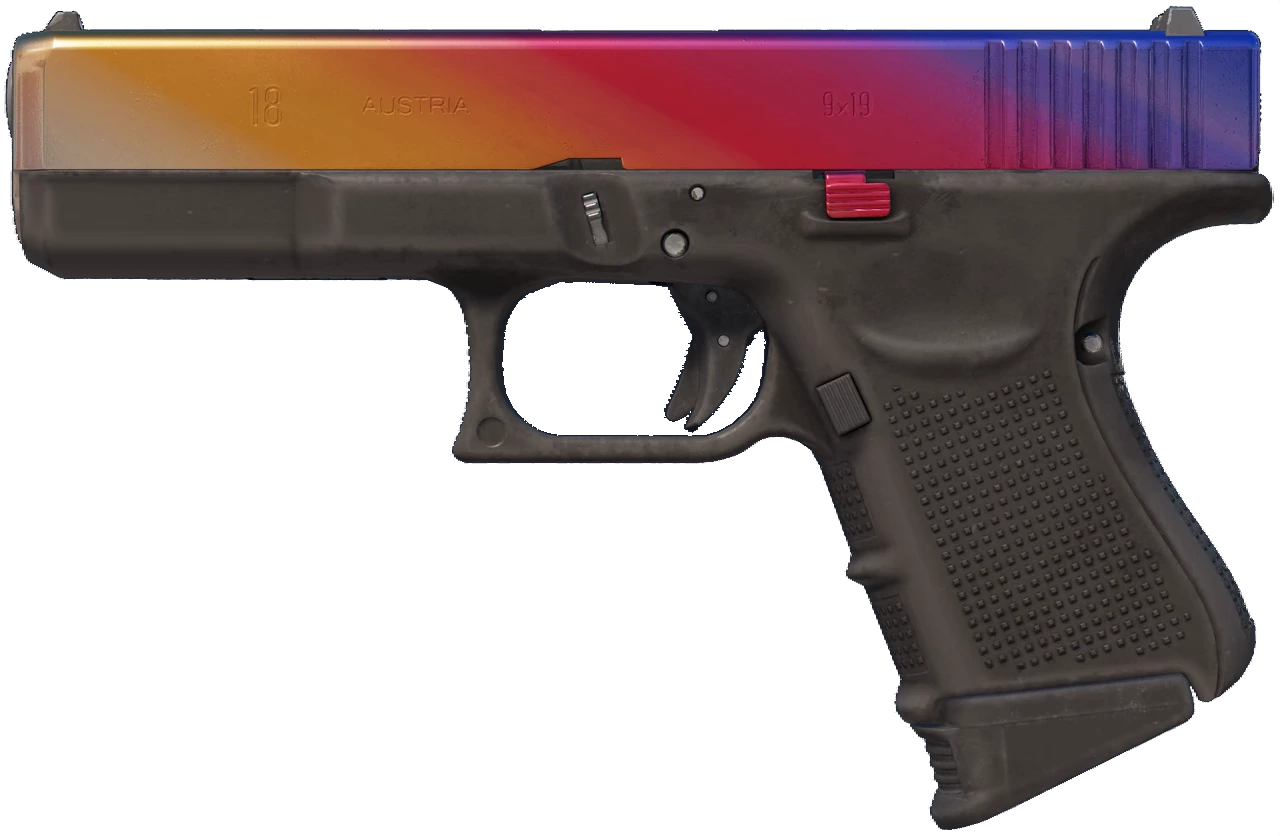
Fade skins use a smooth metallic gradient of purple, pink, and yellow across the weapon. Depending on the seed and weapon model, that gradient can cover nearly the whole surface or pull back and leave plain grey, unfaded metal exposed near the back edge or handle.
Because players describe Fade coverage as a percentage, newer traders often confuse Fade percentage with float value. Float tracks wear, whereas Fade coverage tracks how much of the color spectrum appears on the skin and how the colors balance out. Color ratios also vary across weapon models, so the color splits used to judge a Karambit | Fade are not a universal Fade percentage scale for every gun or knife. The Glock-18 | Fade shows how separate wear and pattern really are: its float is capped between 0.00 and 0.08 (Factory New and Minimal Wear only), yet two Factory New pistols can still look very different in how much purple, pink, and grey sits on the slide.
Doppler and Gamma Doppler Phases
Doppler knives look like one pattern family on the surface, which leads to one of the most common misunderstandings in CS2 trading. Doppler phases are separate paint kits with their own Finish Catalog IDs, not seed rerolls of a single finish.
Classic Doppler
Classic Doppler includes Phases 1 through 4, which mix black, pink, and blue in different balances, plus three distinct gem paint kits: Ruby (red), Sapphire (blue), and Black Pearl (dark purple and black). Because each phase is its own paint kit, the pattern seed only adjusts how the swirls sit inside that phase. No seed number can ever turn a Karambit | Doppler (Phase 2) into a Karambit | Doppler (Sapphire).
Gamma Doppler
Gamma Doppler works the exact same way using green, cyan, and black palettes. It consists of Phases 1 through 4 plus one gem paint kit, Emerald, seen on knives like the Karambit | Gamma Doppler (Emerald). Valve does not publish exact drop rates for individual phases or gem variants, so while Ruby, Sapphire, Black Pearl, and Emerald show up far less often than standard phases, their exact weights are not disclosed.
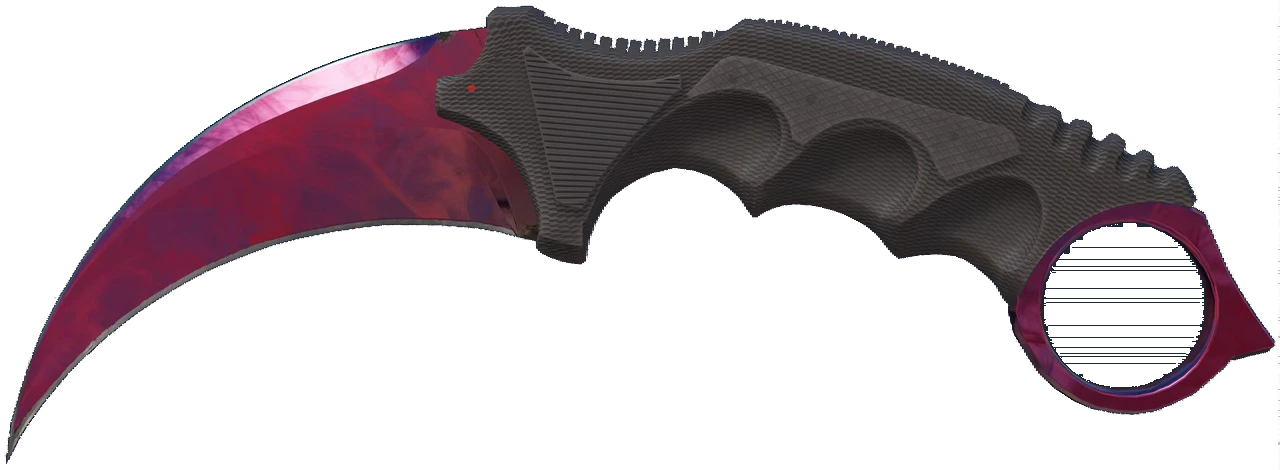
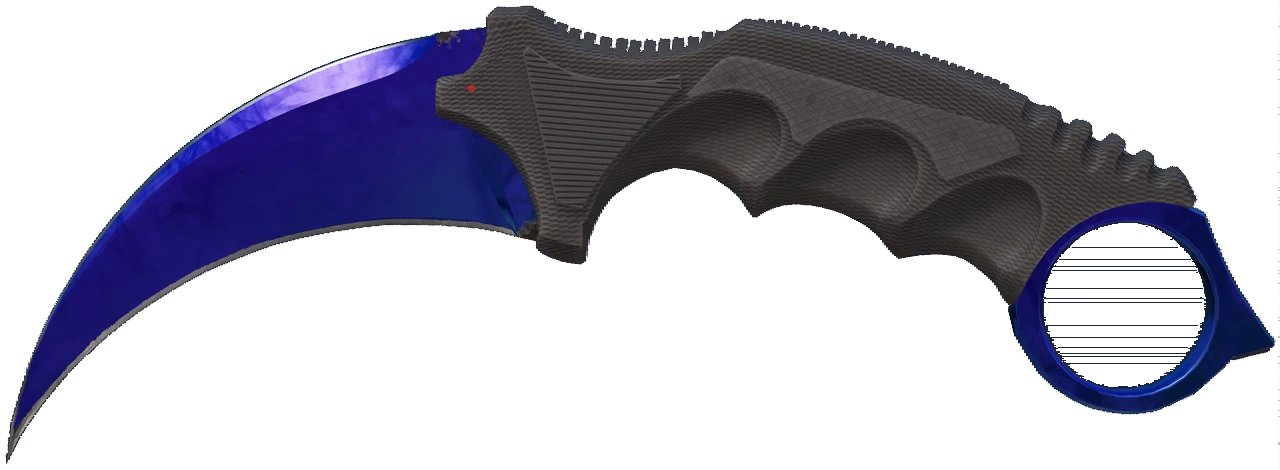
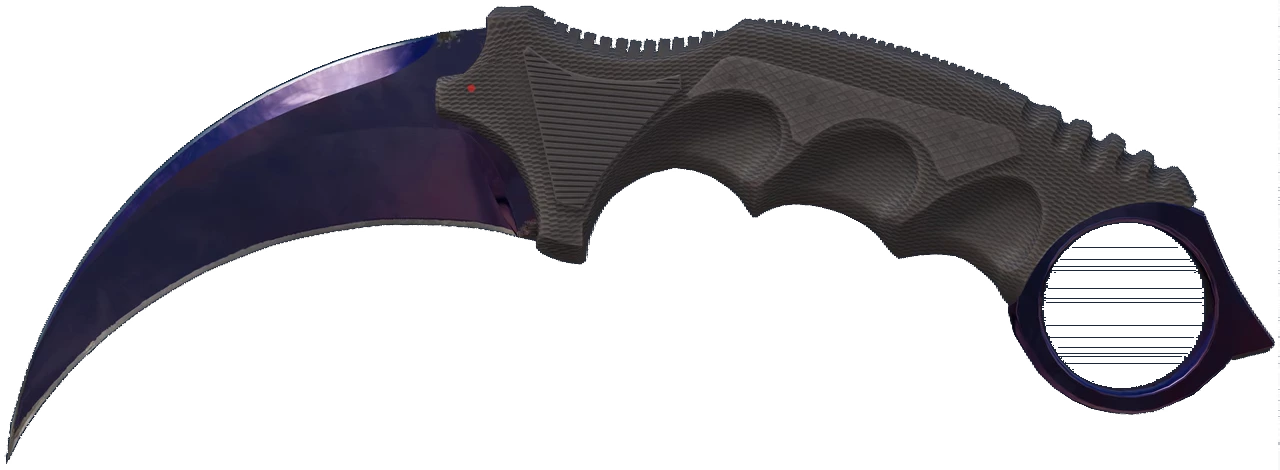
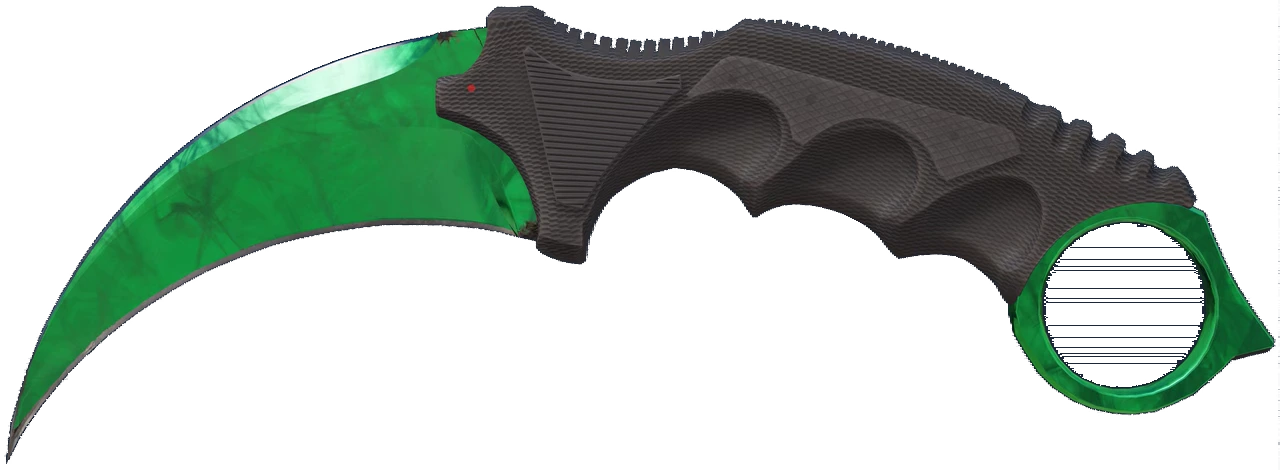
Crimson Web and Marble Fade
Crimson Web
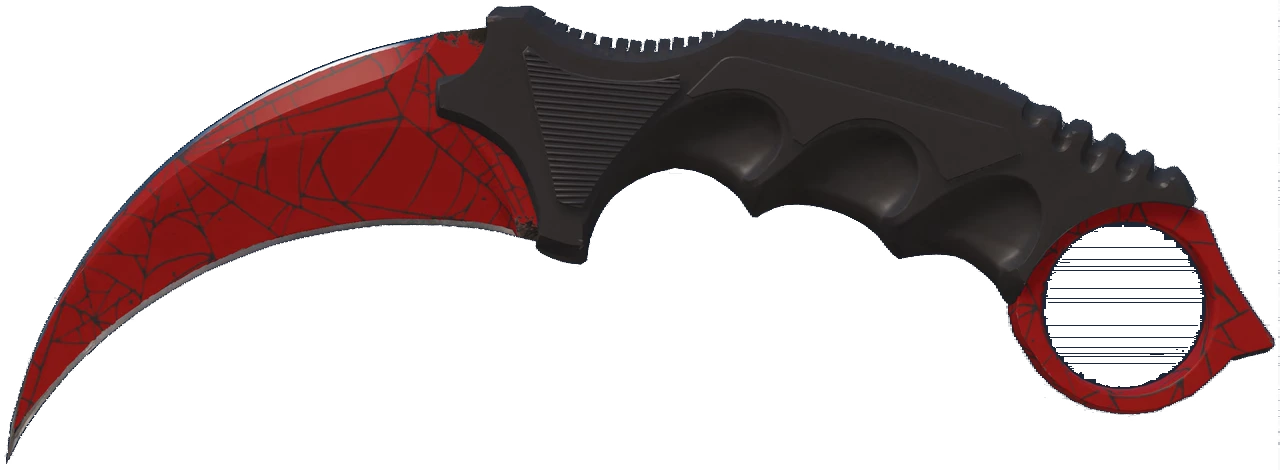
Crimson Web lays black spider webs over a deep red base, and the pattern seed slides those webs across the blade. When inspecting a knife such as the Karambit | Crimson Web, players check how many clear web centers land on the visible playside and where they sit along the blade. The seed number on its own tells you very little without checking the blade itself, and web placement is mostly a matter of visual preference rather than a guarantee of extra value.
Marble Fade and Fire & Ice
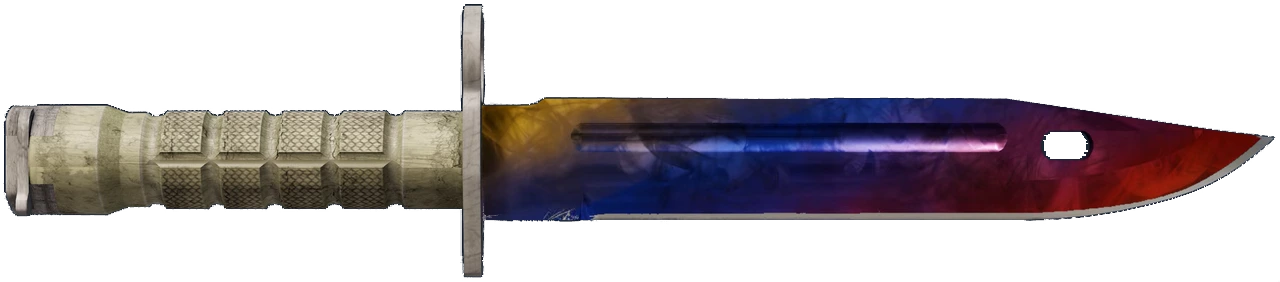
Marble Fade swirls red, blue, and yellow together across a glossy blade, as seen on the Bayonet | Marble Fade. Most seeds show all three colors, while Fire & Ice refers to seeds where only red and blue appear on the relevant playside with no yellow creeping onto the edge. Because each knife's blade geometry covers a different slice of the texture sheet, true Fire & Ice layouts only appear on certain supported knife models rather than every Marble Fade knife. It is also easy to mix up at a glance with Doppler Ruby or Sapphire, even though Fire & Ice is a two-tone Marble Fade seed rather than a single-color Doppler gem paint kit.
Other Notable Pattern Skins
Shifting textures are not limited to high-end knives and Case Hardened classics. Plenty of everyday weapon skins move artwork around with the seed, giving players fun details to look for without automatically making one seed more expensive than another.
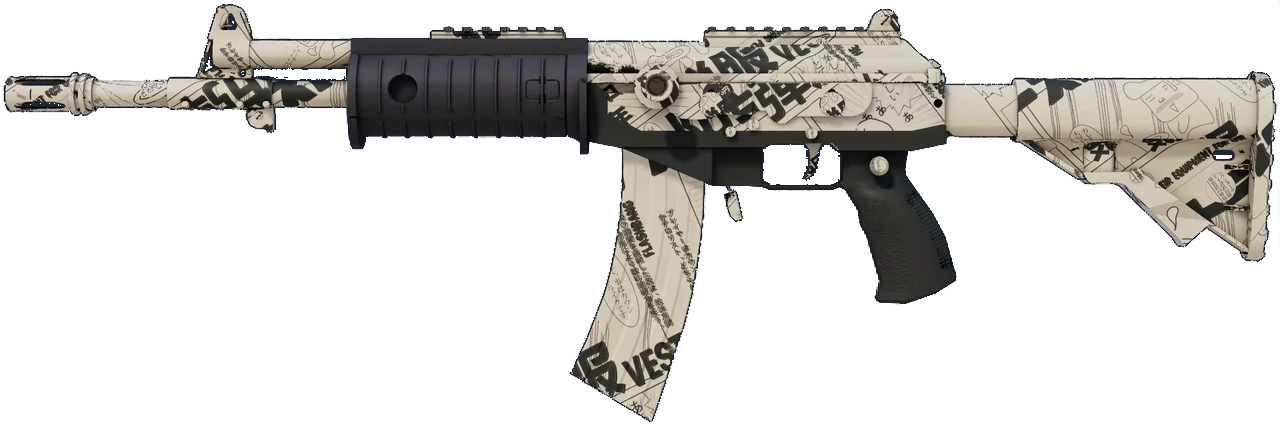
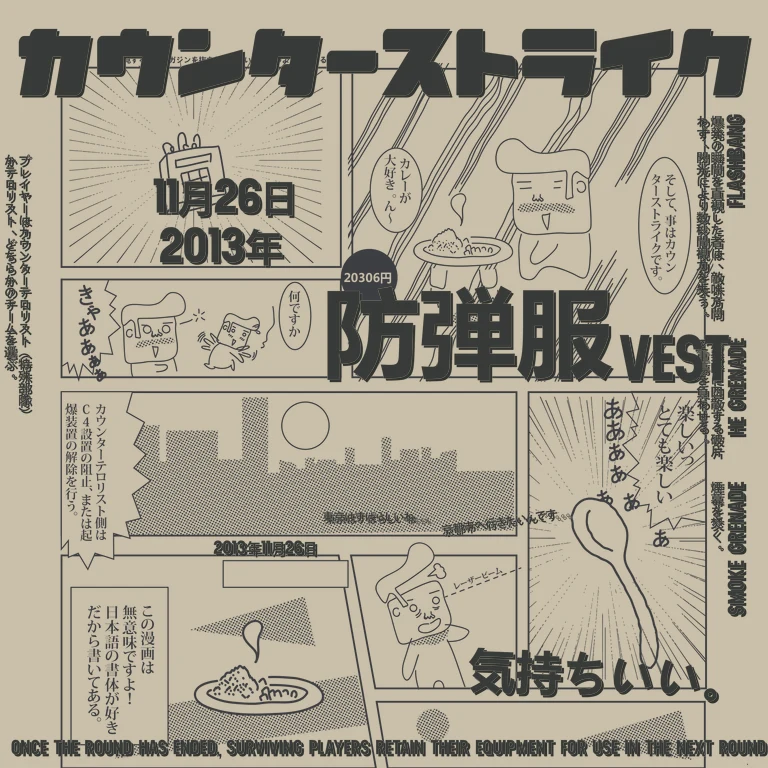
On the AWP | PAW, a playful sheet of cartoon cats and dogs shifts across the rifle, and some collectors look out for prominent placements like a golden cat. The Glock-18 | Moonrise slides a purple city skyline across the pistol, placing a small white star along the slide on certain seeds. On the Galil AR | Kami and Five-SeveN | Kami, black-and-white manga panels wrap across the gun with placement varying by both weapon and seed. Illustrated knives like the Bayonet | Freehand also shift their purple-and-white drawings around from seed to seed. Having a different seed on skins like these is neat for personal taste, though a shifted detail does not automatically add market value.
How to Check a Skin's Pattern
Standard market names usually leave out pattern seeds, and they often group all Doppler phases under one generic title. Generic catalog thumbnails only show a default preview rather than the exact item you are about to buy.
Before paying extra for any pattern or phase, open the actual item in CS2's in-game inspect screen. Hover over the info icon to check two fields: Pattern Template shows the exact pattern seed, and Finish Catalog shows the paint kit ID that confirms which Doppler or Gamma Doppler phase you are looking at. Always rotate the weapon or knife to inspect both sides, since playside appearance carries far more weight in gameplay than the backside.
How Rare Pattern Odds Actually Work
Published case odds only cover the chance of hitting a rarity tier, such as the gold slot in a standard weapon case, which we break down in our CS2 odds guide. Those tables never give you the drop rate for a specific rare pattern seed.
Patterned skins draw from around a thousand possible seeds. Under an equal-seed assumption, hitting one specific seed is roughly 1 in 1,000, and that only applies once you have already received that exact weapon and finish, never 1 in 1,000 per case. To gauge how steep the combined odds really are, you have to multiply the odds of hitting the rarity tier, landing that specific weapon and finish inside the tier pool, rolling your target seed, and matching any extra filter like StatTrak or a specific wear condition. For Doppler knives, phase probabilities are not published as uniform either, so there is no official drop rate for a particular gem.
Under an equal-seed model, any ordinary seed is just as specific as AK-47 seed 661, and famous patterns command higher prices because of visual demand for how they look in-game.
Common Questions
Do all CS2 skins have rare patterns?
No. Many skins use fixed artwork mapped directly to the weapon's panels or flat solid colors across parts, so changing the seed barely alters the look beyond wear placement. Pattern hunting mainly applies to skins whose textures visibly shift across the model.
Does a higher or lower seed number mean a better pattern?
No. A pattern seed is simply a number that controls how the texture lays out on the weapon, not a quality ranking. Standout patterns appear scattered across the seed range, so a higher number does not mean a cleaner or better-looking finish than a lower one.
Should you prioritize pattern or float when choosing a skin?
It depends on the finish. On fixed-artwork skins, float does most of the visual work because wear and scratches are the main differences between copies. On pattern-heavy finishes like Case Hardened, Fade, or Marble Fade, a clean playside layout often matters more than shaving a small amount off the float, though heavy wear can still dull or scratch a good pattern.